Contacts

A CRM that fills itself in.

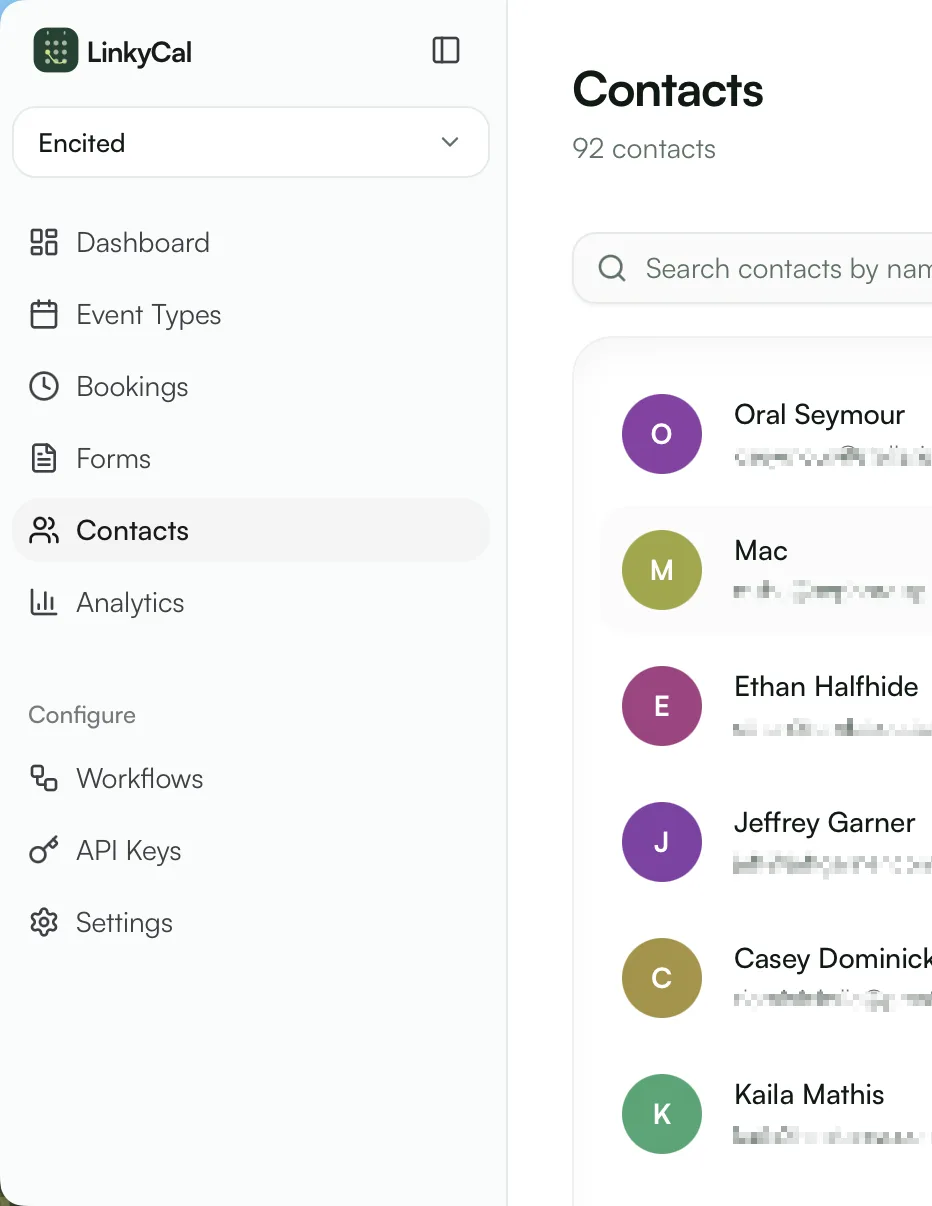
Every submission and booking becomes a contact automatically — tagged, timestamped, and searchable. No copy-pasting into a spreadsheet, no separate CRM to keep honest.

Auto-created from forms & bookingsTags and activity timelineCSV import, search, and views
LinkyCal contacts list inside the dashboard
Timeline
01/03

Every interaction, one history.

Form submissions, bookings, cancellations, tag changes, workflow runs — each contact carries a complete, ordered record of how they've engaged.

Contact Details
SJ
Sarah Johnson
sarah@company.com
VIP
Active Lead
Activity
Booked consultation
2h ago
Submitted contact form
1d ago

Automatic linking

A booking and a form response from the same email merge into one contact.

Context before the call

Open a contact and see everything they've told you before you say hello.

Notes and details

Add phone numbers, notes, and custom fields to round out the record.
Segments
02/03

Find the right people with tags and views.

Tag contacts by hand or let workflows do it — then filter, build saved views, and target follow-ups at exactly the right group.

Tag segments

Applied by hand or by workflows

VIP18 contacts
Active Lead47 contacts
Newsletter230 contacts
Booked a call64 contacts

Workflow auto-tagging

"Booked a demo", "VIP", "Cancelled twice" — applied the moment it happens.

Saved views

Combine tags, activity, and booking status into views your team can reuse.

Search everything

Find anyone by name, email, or phone in a couple of keystrokes.

Import
03/03

Already have a list? Import it.

Import existing contacts from CSV and they merge cleanly by email — history intact, duplicates avoided, ready to book and fill forms.

CSV import

Existing contacts merge by email

Priya Sharma
priya@acme.com
Imported
Jon Maeda
jon@studio.io
Imported
Lena Fischer
lena@nord.de
Merged

Merge by email

Re-imports and overlapping sources update contacts instead of duplicating them.

Export any time

Your data stays yours — pull it back out whenever you need.

Useful immediately

Imported contacts work with tags, views, and workflows right away.

Scheduling
01/05
01

Google Calendar sync

Block busy time automatically and surface live availability.

02

Buffer times

Add breathing room before and after meetings without manual cleanup.

03

Timezone aware

Show the right local slot for every visitor without confusion.

04

Confirmation emails

Send booking details instantly once a slot is locked in.

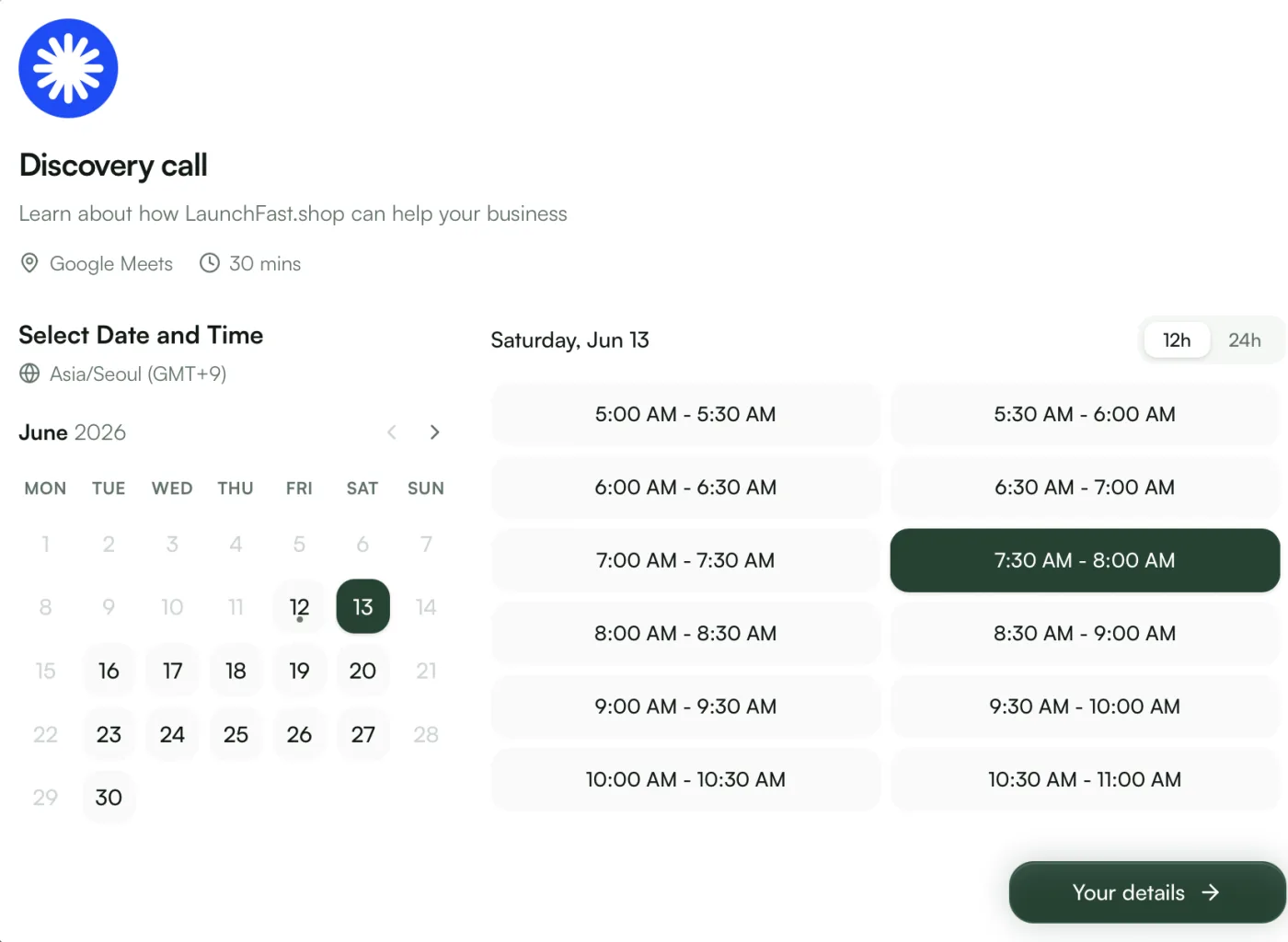
Branded scheduling links and widgets.

Share booking pages and widgets that stay in sync with your calendar, handle timezones correctly, and confirm every slot the moment it is reserved.

Book a Consultation
30 min · Google Meet
March 2026
Su
Mo
Tu
We
Th
Fr
Sa
1
2
3
4
5
6
7
8
9
10
11
12
13
14
15
16
17
18
19
20
21
22
23
24
25
26
27
28
29
30
31
10:00 AM
2:00 PM
4:00 PM
Your Details
Tue, Mar 24 at 2:00 PM · 30 min
Name
Email
Notes
Optional...
Booking confirmed!
Tue, Mar 24 at 2:00 PM · 30 min
Confirmation sent to sarah@company.com
Next
Forms
02/05
01

Conditional logic

Reveal the next question from what the visitor already told you.

02

File uploads

Collect briefs, assets, and supporting documents in the same flow.

03

Multi-step

Break longer forms into short screens that are easier to finish.

04

Validation

Catch missing or malformed inputs before the response is stored.

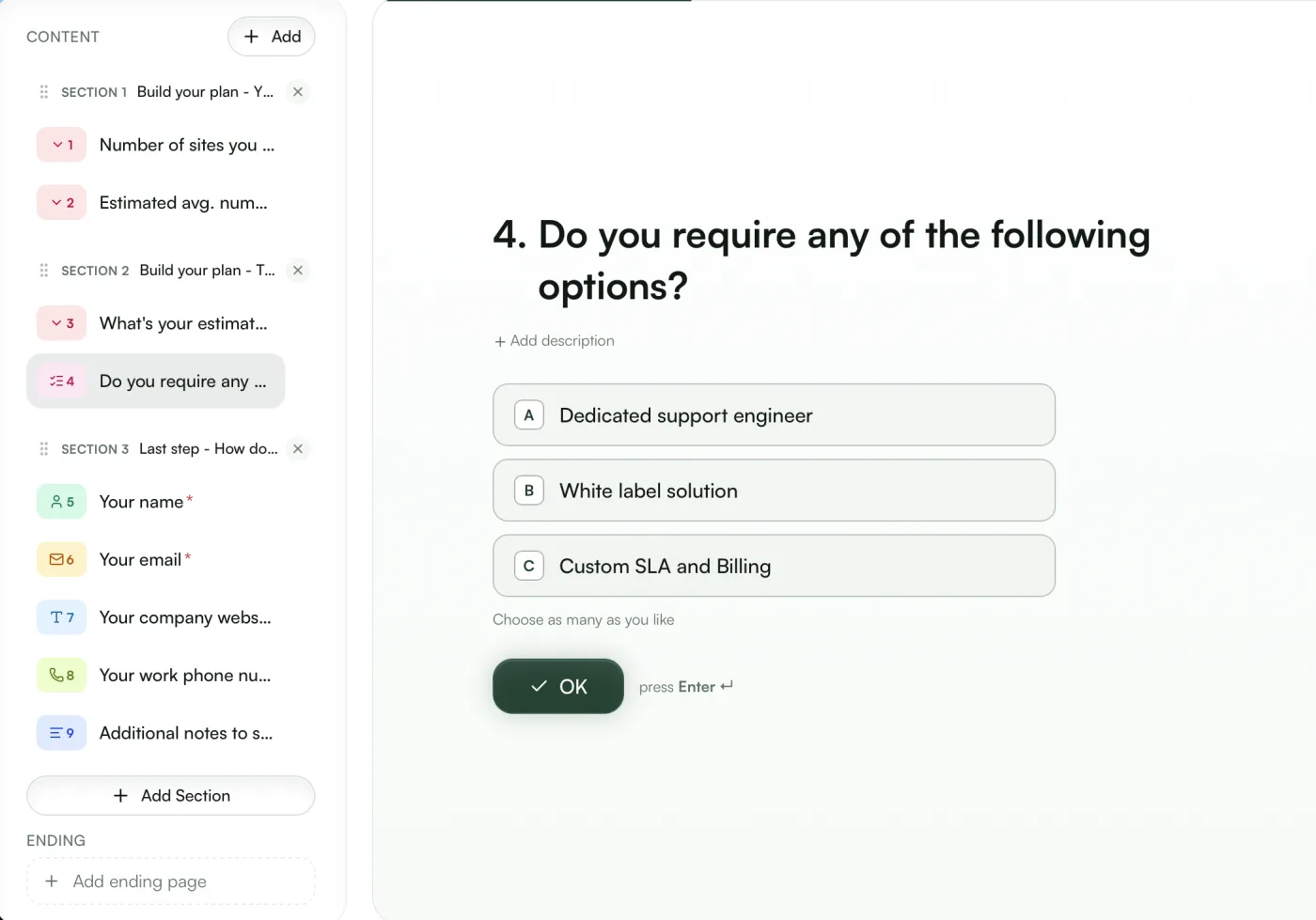
Build forms that adapt.

Create multi-step flows that branch based on answers, collect files, and validate the right fields before anything gets submitted.

Contact Info
Tell us how to reach you
Full Name
Alex Morgan
Email Address
Company
Company Size
Conditional
50–200
Project Details
Tell us about your project
Budget Range
Select...
Timeline
Select...
Additional Notes
Optional...
Response submitted!
We'll be in touch within 24 hours.
Next
Contacts
03/05
01

Auto-tagging

Apply tags from answers, event type, or workflow branch automatically.

02

Activity timeline

See submissions, bookings, and follow-up actions in one stream.

03

CSV import

Bring existing contacts in without rebuilding your data manually.

04

Smart search

Filter people by tag, source, or recent activity in seconds.

Keep every contact organized.

Turn every form response and booking into a contact record with tags, history, and enough context for your team to act immediately.

Contact Details
SJ
Sarah Johnson
sarah@company.com
VIP
Active Lead
Activity
Booked consultation
2h ago
Submitted contact form
1d ago
Workflows
04/05
01

Email triggers

Send confirmations, reminders, and follow-ups from one event.

02

Tag automation

Segment leads automatically as new activity comes in.

03

Webhooks

Push bookings and submissions into the tools you already use.

04

Conditional logic

Branch actions based on answers, timing, or event details.

Automate the busywork.

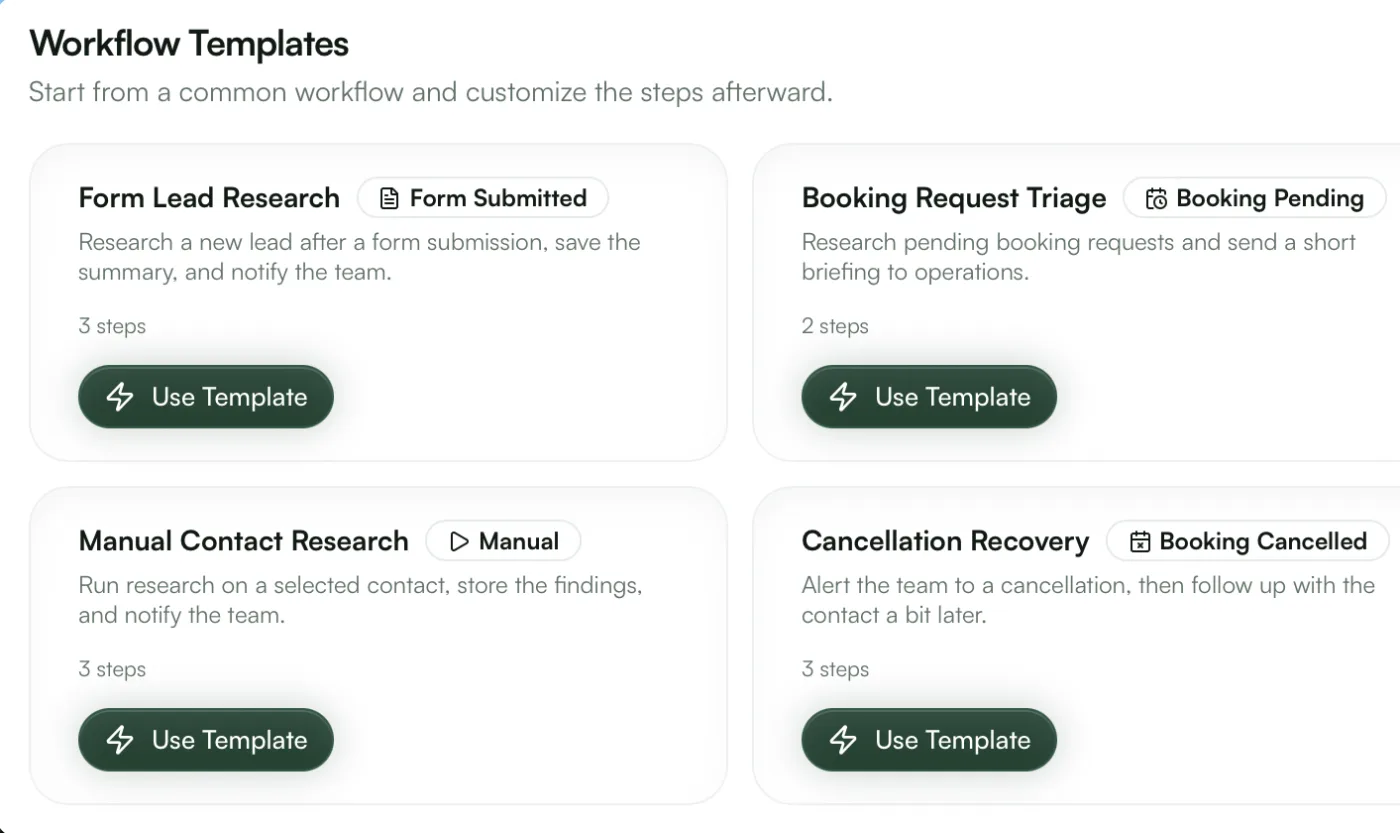
Trigger follow-ups from submissions and bookings, branch logic based on context, and keep repetitive post-submit tasks off your plate.

Workflow Editor
Form Submitted
Trigger
Send confirmation email
via Resend
Add tag 'Lead'
auto-tag
Wait 2 days
delay step
Send follow-up email
via Resend
API
05/05
01

Check availability

Query live scheduling windows before you show the next step.

02

Create bookings

Reserve slots directly from agents or custom application flows.

03

Submit forms

Post structured responses into your workflows without the widget.

04

Manage contacts

Read and update people records while your agents operate.

Let your agents handle everything.

Expose the same scheduling, forms, and contact workflows through an API so custom apps and AI agents can do the work programmatically.

Terminal
$curlGET/api/v1/availability/acme
...
fetching
200 OK
{
  "slots": [
    { "start": "2026-03-24T14:00" },
    { "start": "2026-03-24T15:00" }
  ]
}
$curlPOST/api/v1/bookings
201 Created
{
  "id": "bk_a1b2c3d4",
  "status": "confirmed"
}

Simplify your workflow

01

Create your project

Pick a name and slug — it becomes your namespace for forms, event types, and contacts.

02

Build forms & event types

Drag in fields, set availability rules, and brand everything to match your site.

03

Embed & go live

Paste one script tag or share your hosted link. Submissions and bookings flow in instantly.

LinkyCal hosted booking page with date and time slot pickerLinkyCal form builder editing a multi-step quote formLinkyCal workflow templates triggered by forms and bookingsLinkyCal contacts list inside the dashboard
Hosted booking pages
Embeds anywhere — WordPress, Webflow & plain HTML

Flexible pricing plans

Choose a plan that grows with you. Start for free and upgrade anytime for more capacity and support.

MonthlyAnnual 2 months free

Free plan

For personal projects & trying things out

$0/month

Included features:

  • 1 project
  • 3 forms & 3 event types
  • 100 contacts
  • 1 workflow
  • Community support
  • Google Calendar sync
  • API access

Pro plan

For freelancers & small teams

$29/month

Included features:

  • 5 projects
  • 20 forms & 20 event types per project
  • 5,000 contacts per project
  • 10 workflows
  • Google Calendar sync
  • API & MCP access
  • Priority support
  • Custom embeddable widgets

Business plan

For growing teams & agencies

$99/month

Included features:

  • Everything in Pro +
  • 20 projects
  • Unlimited forms, events & workflows
  • Unlimited contacts
  • Custom embeddable widgets
  • Dedicated support

Frequently asked questions

LinkyCal supports multi-step forms with conditional logic, 12+ field types including text, email, phone, select, date, file upload, and more. You can create complex branching flows where fields appear or hide based on previous answers, and validate submissions in real-time.

You create event types with customizable durations, availability schedules, and buffer times. Share your booking link and visitors pick a time that works. If you connect Google Calendar, availability is synced automatically. Everything is timezone-aware, and confirmation emails are sent instantly.

Yes! Add a single script tag to your website and initialize the booking or form widget with one line of JavaScript. The widgets are self-contained with zero external dependencies, fully customizable themes, and work on any website — including WordPress, Webflow, and static HTML.

Yes, LinkyCal is headless-friendly. Post forms straight from plain HTML or fetch from any framework, and check availability and create bookings over REST. Use a project-scoped API key for contacts and management, plus an MCP server so AI agents can book on your behalf. Full OpenAPI docs and llms.txt are included.

The free plan includes 1 project, 3 forms, 3 event types, 100 contacts, and 1 workflow. It's a great way to try LinkyCal for personal projects or small-scale use. Upgrade to Pro or Business when you need more capacity, calendar sync, or API access.

Yes. You can import contacts via CSV for bulk migration, and our API allows programmatic migration of forms, event types, and contact data. If you need help with a large migration, our support team is available to assist.

Take your forms & scheduling to the next level

Create your free account and launch your first form or booking page in minutes. No credit card required.

View documentation
yoursite.com
You write this
<script src="https://cdn.linkycal.com/widgets/booking.js"></script>

<script>
  LinkyCal.booking({
    projectSlug: "acme",
    eventSlug: "discovery-call"
  })
</script>
Visitors see this
Discovery call
30 min · Google Meet
Mon
16
Tue
17
Wed
18
Thu
19
Fri
20
10:00 AM
11:30 AM
2:00 PM
4:30 PM
Confirm booking